








Recruiting, HR, sales, and business development teams often spend significant time moving information between systems. A resume arrives and someone manually enters candidate data into an ATS. A recruiter compares applications with job descriptions one by one. A sales team finds useful LinkedIn information and then copies it into HubSpot or another CRM.
These processes are repetitive and become difficult to manage at scale.
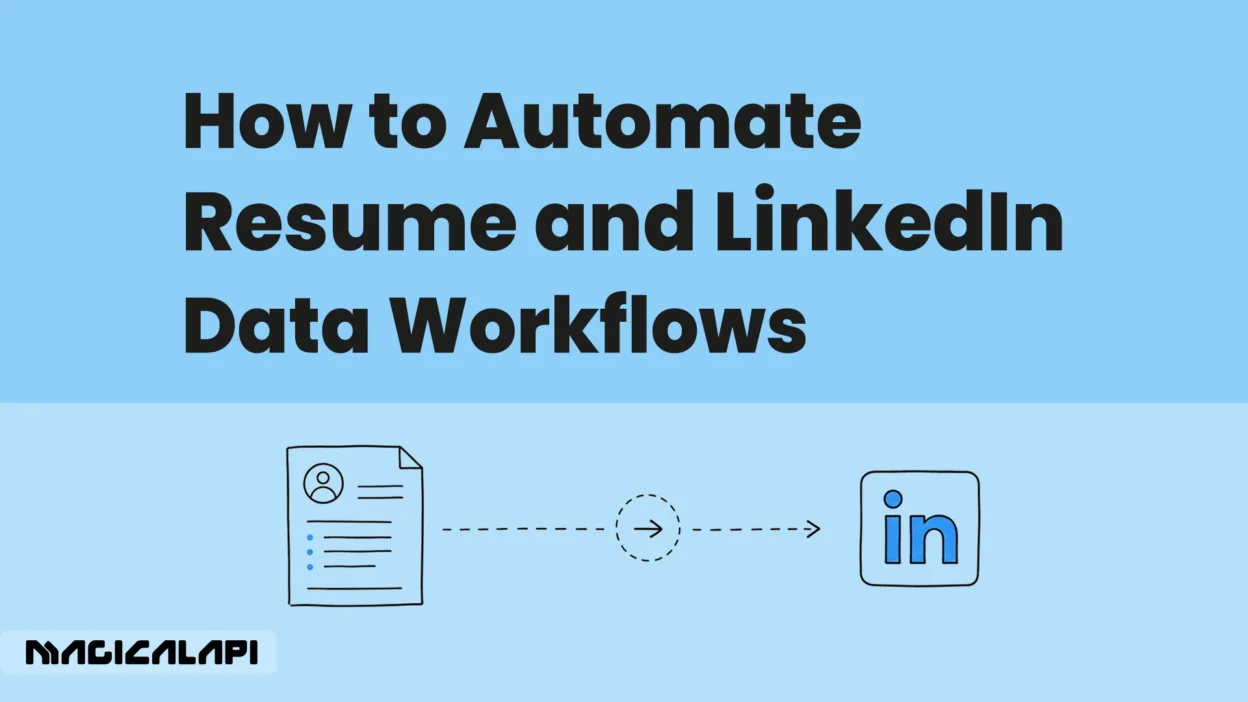
Resume and LinkedIn data automation can connect data processing with the tools teams already use, allowing information to move automatically between resumes, LinkedIn profiles, ATS platforms, CRMs, Airtable, Notion, and other business applications.
What Can Resume and LinkedIn Data Automation Actually Do?
The practical goal of workflow automation is not simply to automate individual tasks. It is to connect several steps that would otherwise require manual work.
A typical workflow can follow a simple structure:
Data source → Data processing or enrichment → Workflow logic → Business application
For example, a resume can be parsed and automatically added to Airtable. A candidate can be compared with a job description before the result is sent to an ATS. A LinkedIn profile can be processed and used to enrich a HubSpot contact.
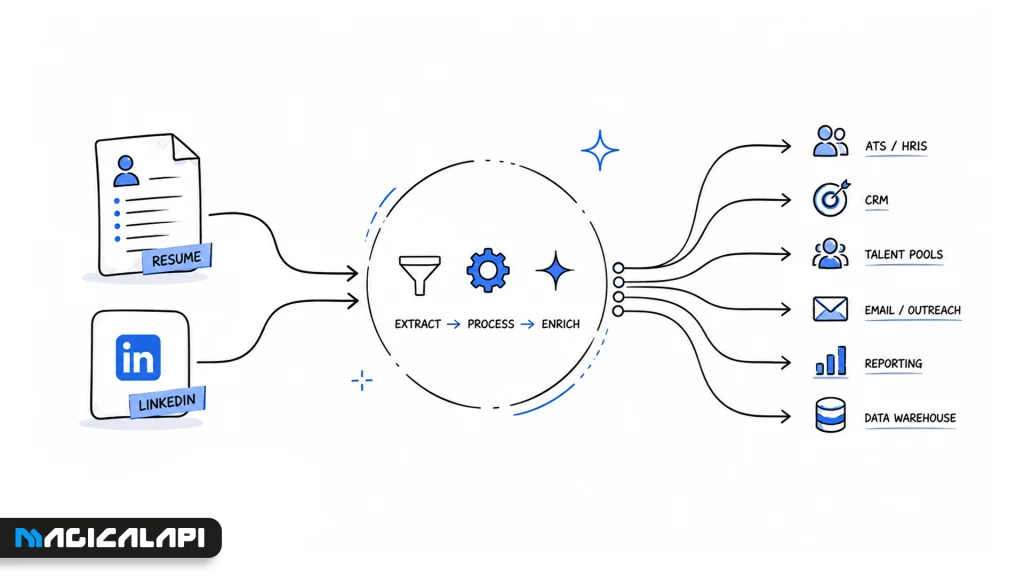
Depending on the use case, teams can automate workflows such as:
- Resume parsing and candidate data entry
- Resume screening before recruiter review
- Candidate-job matching
- LinkedIn profile enrichment
- LinkedIn company enrichment
- CRM and ATS updates
- Recruiter notifications
- Multi-step HR and recruitment workflows
MagicalAPI provides the resume intelligence and LinkedIn data capabilities used to process this information, while workflow automation platforms such as viaSocket can connect the results with other business applications.
The value becomes clearer when looking at specific workflows that teams can build.
1. Turn Resumes Into Structured Candidate Records
One of the simplest opportunities for resume automation is eliminating manual candidate data entry.
Resumes are usually unstructured documents, and information such as skills, experience, education, and job titles can appear in many different formats.
Example Workflow
Resume → Resume Parser → Airtable
When a candidate submits a resume, the MagicalAPI Resume Parser can extract structured information from the document. The resulting data can then be sent automatically to Airtable.
The candidate record might include:
- Name and contact information
- Skills
- Employment history
- Education
- Previous job titles
- Certifications
This type of resume parsing automation helps recruiting teams maintain structured candidate databases without manually transferring information from every application.
The same approach can be used with an ATS, Google Sheets, or an internal HR system.
2. Automatically Create Candidate Records in Notion
Smaller recruiting teams and recruitment agencies sometimes use Notion instead of a traditional ATS.
Resume data can be added to those databases automatically.
Example Workflow
Resume → Resume Parser → Notion
A new resume triggers the workflow, the relevant candidate information is extracted, and a structured Notion record is created.
The team can then manage application stages, notes, interviews, and recruiter ownership inside its existing workspace.
Practical Value
Instead of creating candidate pages manually, recruiters receive standardized records that are already ready for review.
This can be particularly useful when applications arrive through several different channels but need to be managed in one central database.
3. Add Resume Screening Before Recruiter Review
Processing applications often involves more than extracting information. Recruiters may also need an initial assessment before deciding where to focus their attention.
Resume screening automation can add this step to the workflow.
Example Workflow
New Resume → Resume Checker → Recruiter Review
The MagicalAPI Resume Checker can analyze the submitted resume before the workflow sends the result to the recruiting team.
The next step could automatically:
- Add the application to a review queue
- Store the analysis in an ATS
- Notify the responsible recruiter
- Add results to Airtable
- Create a follow-up task
The purpose is not to replace human hiring decisions. Instead, automation can organize the early stages of the process so recruiters spend less time on repetitive administrative work.
4. Automate Candidate Matching With Job Descriptions
Recruiting becomes more complex when a team manages several vacancies at the same time.
Manually comparing every candidate with every relevant job description can quickly become inefficient.
Example Workflow
Resume → Resume Matcher → Match Result → ATS
The MagicalAPI Resume Matcher can compare a resume with a job description and generate a matching result.
Workflow automation can then use that result to:
- Update the candidate record
- Connect the candidate with the relevant vacancy
- Notify the responsible recruiter
- Move the application into a review stage
- Send information to an internal hiring dashboard
This type of candidate matching automation can be useful for recruitment agencies, talent acquisition teams, and SaaS platforms handling large candidate pipelines.
5. Enrich HubSpot Contacts With LinkedIn Profile Data
Data automation is also useful outside traditional recruitment workflows.
Sales, recruiting, and business development teams often use public LinkedIn profile information to understand a person’s professional background. Manually transferring that data into a CRM creates unnecessary work.
Example Workflow
LinkedIn Profile URL → MagicalAPI → HubSpot
A LinkedIn profile URL can trigger a workflow that uses MagicalAPI LinkedIn Profile Data Scraper to retrieve structured public professional information.
Relevant fields can then be added to the associated HubSpot contact.
Practical Value
LinkedIn profile enrichment can reduce repetitive research while helping teams maintain more useful CRM or recruiting records.
The same workflow can send structured information to Airtable, databases, sales tools, or internal applications, depending on how the business manages its data.
6. Add LinkedIn Company Data to CRM Records
Company research creates similar challenges.
A sales or business development team may already have a target company’s LinkedIn URL but still need structured information about that organization before qualification or outreach.
Example Workflow
LinkedIn Company URL → MagicalAPI → CRM
Using MagicalAPI LinkedIn Company Data Scraper, teams can retrieve structured public company information and automatically send relevant fields to the corresponding CRM account.
This type of LinkedIn data automation can support:
- Lead enrichment
- Account research
- Prospect qualification
- Business development
- Recruiting research
- CRM data management
Instead of researching and updating each organization individually, teams can incorporate company enrichment into their existing workflow.
7. Connect Multiple Steps Into One Recruitment Workflow
Individual automations are useful, but larger efficiency gains often come from connecting several steps together.
For example:
Resume Submitted → Parse Resume → Match With Job Description → Update ATS → Notify Recruiter
Another workflow could be:
Resume Received → Extract Candidate Data → Create Airtable Record → Send Slack Notification
Or for CRM enrichment:
LinkedIn Profile Added → Retrieve Profile Data → Update CRM → Assign Contact
These multi-step workflows help teams reduce the number of manual handoffs between tools.
The exact process can still include human review and approvals where necessary. Automation simply handles the predictable data processing and movement between those decisions.
What Should You Automate First?
Businesses do not need to automate an entire HR or sales operation at once.
A better starting point is a repetitive process with a clear input and output.
Look for tasks that:
- Occur frequently
- Follow predictable steps
- Require repeated data entry
- Move information between multiple systems
- Consume time without requiring significant human judgment
For an HR team, that might be resume parsing.
For recruiters, it may be candidate matching or screening.
For sales teams, LinkedIn profile or company enrichment may provide more immediate value.
Once one workflow is reliable, additional steps can be connected gradually.
How MagicalAPI and viaSocket Fit Into These Workflows
Within these workflows, MagicalAPI acts as the data and intelligence layer. It processes resumes, evaluates resume information, supports candidate matching, and provides structured LinkedIn profile and company data.
viaSocket can handle the workflow layer, connecting those capabilities to tools such as CRMs, ATS platforms, Airtable, Notion, HubSpot, and other business applications.
For example:
Resume → MagicalAPI Resume Parser → viaSocket → Airtable
See how to turn resumes into Airtable records with viaSocket
or:
LinkedIn Profile → MagicalAPI → viaSocket → HubSpot
See how to create HubSpot contacts from LinkedIn profiles with viaSocket
This allows teams to build automated processes around the systems they already use instead of replacing their existing software stack.
You can explore the MagicalAPI viaSocket integration to see how these connections can be used in practice.
Developers and teams that want to test MagicalAPI capabilities before implementing a complete workflow can also use the MagicalAPI Playground.
Build Automation Around Real Manual Work
The most useful automation starts with an existing business problem.
If recruiters spend time copying resume information, automate resume parsing. If candidate comparison creates a bottleneck, add matching to the workflow. If sales teams repeatedly research LinkedIn profiles or companies, connect enrichment directly to the CRM.
The objective is not to automate everything. It is to remove predictable manual work from processes where automation provides clear practical value.
By connecting resume intelligence and LinkedIn data with the business applications teams already use, companies can build faster and more scalable recruitment, HR, sales, and data workflows.